Introduction
Gaming has become a popular way to relax, connect with friends, and enjoy exciting stories. Xbox gives players several ways to enjoy these experiences at home or on supported devices. You can explore racing games, sports titles, adventures, and competitive online matches. The platform also offers services that help players discover new games without buying every title separately.
Whether you are a beginner or an experienced player, understanding the available features can help you make better choices. You might want a powerful console, a comfortable controller, or a large game library. Perhaps you prefer playing with friends after school or work. This guide explains the main features in simple language. It also covers Xbox Game Pass, Xbox Game Pass Ultimate, accessories, and useful buying tips. By the end, you will have a clearer idea of which gaming options fit your interests, budget, and playing habits.
1. What Is Xbox?
Xbox is Microsoft’s gaming brand, known for its consoles, games, accessories, and digital services. It allows players to enjoy games on supported consoles, Windows computers, and other compatible devices. Its gaming world includes popular franchises such as Halo, Forza, Minecraft, and Gears of War. Each offers a different experience, from creative building to fast racing and action-packed adventures.
One useful feature is flexibility. Some players prefer sitting in front of a television with a console. Others enjoy gaming on a computer or compatible handheld device. Online features also let friends play together when their games and subscriptions support multiplayer. The experience depends on your device, internet connection, and chosen games. Before buying anything, consider how you prefer to play. This simple step can help you avoid spending money on features you rarely use.
2. Understanding Xbox Consoles
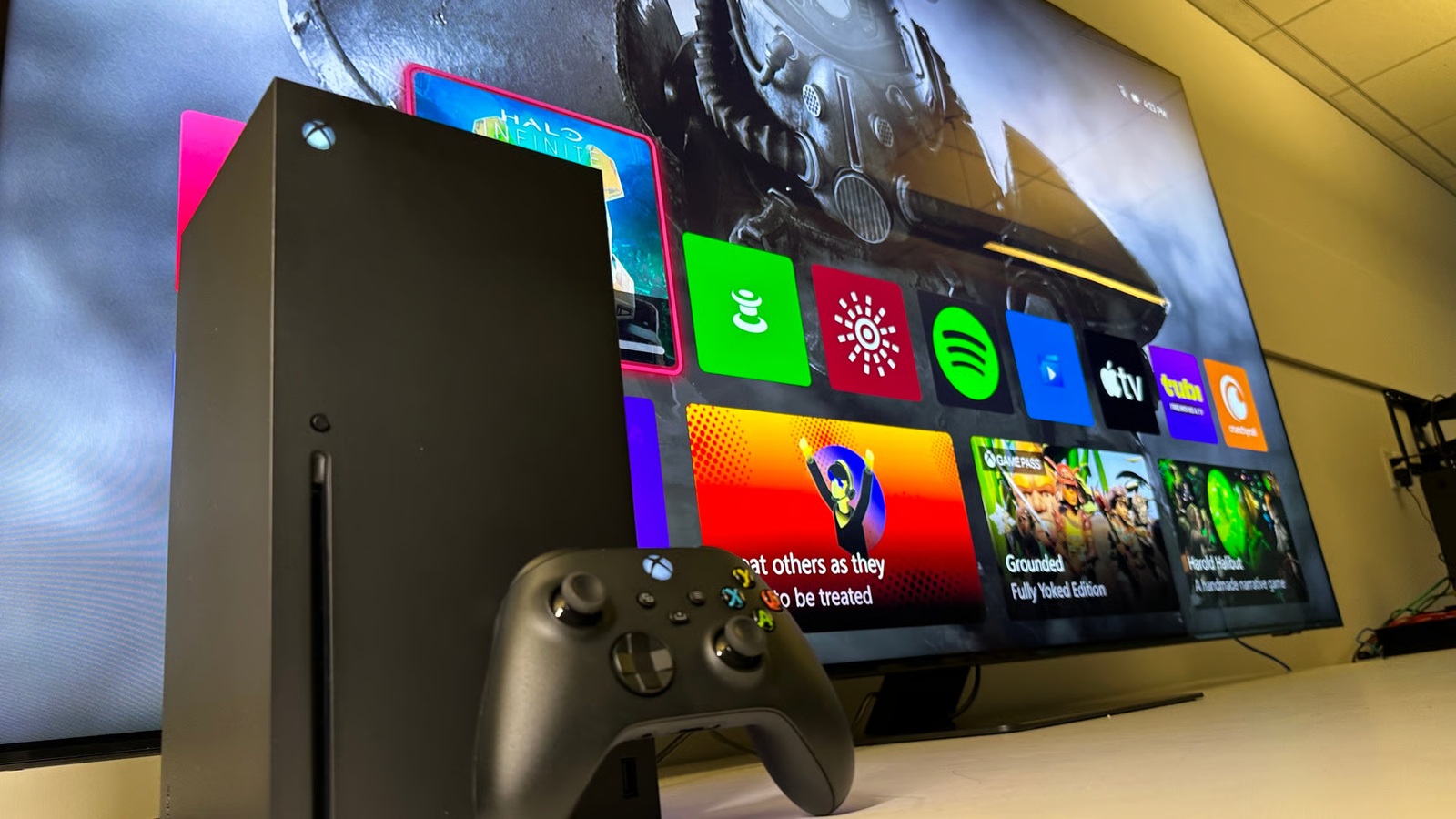
Xbox consoles are designed to make gaming simple and enjoyable. The Xbox Series X focuses on powerful hardware and supports features such as 4K gaming in compatible titles. The Xbox Series S offers a smaller design and a digital-focused experience. Both belong to the current Series generation, but their storage, performance, and display capabilities differ.
Your television or monitor also affects the experience. A compatible display can help you enjoy sharper images and smoother motion in supported games. Storage matters because modern games can require substantial space. If you download many large titles, check the available storage before choosing a console. Think about your budget, preferred games, and display setup. A more expensive system is not automatically the right choice for every player. The best option is the one that meets your needs without unnecessary costs.
3. What Is Xbox Game Pass?
Xbox Game Pass is a subscription service that provides access to a changing collection of games. Instead of purchasing every eligible title separately, members can download and play games included in their selected plan. This makes it easier to explore different genres and discover new favorites.
For example, imagine that you enjoy racing games but also want to try a story-based adventure. A suitable subscription may let you explore both without buying each game individually. However, the available collection changes over time. Some games leave the service, while others arrive. Always check the current catalog before subscribing for a particular title. Remember that access through a subscription is different from owning a game permanently. If you stop subscribing, access to subscription games depends on the applicable membership rules.
4. Exploring Xbox Game Pass Ultimate
Xbox Game Pass Ultimate combines several gaming benefits in one subscription. Depending on the current plan and region, these may include console and PC games, online console multiplayer, cloud gaming, and selected membership perks. It is designed for people who want access to a broad gaming experience across supported devices.
The service can be useful for players who enjoy switching between different games. You might play a racing game during the weekend and try an adventure during the week. Some included games can also be available on their release day, subject to the service’s terms and exceptions. However, the subscription costs more than some other plans. Compare its benefits with your actual gaming habits before paying. Check the official regional offer because prices, game availability, and benefits can differ by country. You should also review renewal terms before starting a membership.
5. Xbox Controller: What Makes It Useful?
An Xbox controller is a handheld device that lets you control movement, actions, menus, and other game features. Its familiar layout includes two thumbsticks, a directional pad, action buttons, shoulder buttons, and triggers. These controls help players move characters, aim, drive vehicles, and interact with virtual environments.
Comfort is important when choosing a controller. Consider its shape, button placement, grip, and weight. If you play for long sessions, a comfortable design may help reduce hand fatigue. Wireless models provide freedom from a cable, while a wired connection can be convenient for charging or reducing battery concerns. Compatibility also matters. Check whether the model supports your console, computer, phone, or other intended device. Some controllers offer extra buttons or customization features. You do not need an expensive model to begin gaming. A standard compatible controller can meet many players’ needs.
6. Choosing the Right Xbox Controller
Different players need different controller features. A standard wireless controller is suitable for many everyday gaming sessions. It offers familiar controls and can work across supported devices. Players who want more customization may consider an advanced model with adjustable controls and extra features.
Think about the games you play most often. Racing fans may care about trigger control, while competitive players might prefer customizable buttons. Battery life and charging options can also influence your decision. Before purchasing, confirm the exact model’s compatibility and included accessories. Some packages may not include rechargeable batteries or charging equipment. It is also worth checking the return policy in case the controller does not feel comfortable. A controller should make gaming easier, not more complicated. Choose based on practical needs rather than appearance alone.
7. Popular Games to Explore
Xbox offers games across many genres, so there is something for different interests. Forza Horizon is known for open-world driving and racing. Halo features science-fiction action, while Minecraft encourages creativity and exploration. Gears of War focuses on action and combat. Sports fans can also explore football, basketball, and other competitive titles.
The right game depends on your age, interests, and preferred difficulty. Some games emphasize teamwork, while others focus on single-player stories. Before purchasing, read the description and check the age rating. You can also watch official gameplay videos to understand how a title works. If you have a subscription, check whether the game is currently included. This can help you try something new without making an additional purchase. Remember that online features, downloadable content, and multiplayer access may have separate requirements.
8. Playing Online With Friends
Online gaming lets players connect with friends and other people over the internet. Depending on the title, you might race against others, complete missions together, or compete in team matches. Voice chat and party features can make communication easier during cooperative games.
A stable internet connection usually improves the experience. Slow connections can cause delays, interruptions, or difficulty joining matches. If possible, use a reliable home network and keep your console software updated. Check each game’s multiplayer requirements before buying it or starting a subscription. Some games support cross-platform play, allowing people on different devices to play together. Others have restrictions. You should also protect your account and avoid sharing passwords. Use privacy settings to control who can contact you. These simple habits can make online gaming more enjoyable and safer.
9. Xbox Cloud Gaming and Supported Devices
Cloud gaming lets you stream certain games over the internet instead of downloading and running every title locally. Depending on regional availability and subscription terms, supported devices may include computers, phones, tablets, televisions, and compatible handheld systems. This can offer extra flexibility when you cannot use your main console.
However, streaming depends heavily on internet quality. A weak connection may cause blurry images, lag, or interruptions. Your device must also support the service and the game you want to play. Some games require a compatible controller, although input options can vary. Cloud gaming is useful for trying supported games quickly, but it does not replace every console feature. Check current regional availability and monthly streaming limits before relying on it for long sessions. A strong internet connection and compatible hardware can make a noticeable difference.
10. How Much Does Xbox Gaming Cost?
The total cost depends on your console, games, accessories, and subscriptions. A digital console may reduce the need for physical game discs, while a disc-compatible console gives you another way to buy and play supported games. You may also need a television, monitor, headset, or extra storage.
Subscriptions add recurring costs, so include them in your budget. Xbox Game Pass Ultimate may offer value if you regularly play many included titles and use its extra benefits. However, buying a few games individually may cost less for occasional players. Compare prices in your region rather than relying on another country’s advertised price. Remember to check taxes, retailer offers, and renewal charges. A sensible budget should cover the equipment you need without creating financial pressure. Start with the basics and upgrade only when a real need appears.
11. How to Choose the Best Setup
Start by deciding where and how you want to play. If you mainly use a television, compare console models and display compatibility. If you already own a capable gaming PC, check whether PC gaming services meet your needs. Players who travel often may value compatible handheld devices or cloud gaming.
Next, list your favorite games and check their requirements. This helps you avoid buying equipment that does not support your preferred titles. Consider storage, internet speed, controller comfort, and available space. If you are unsure about subscriptions, compare the current plans and their included games. You can always begin with a simpler setup and expand later. A thoughtful purchase usually provides more value than buying every accessory at once. Focus on what you will genuinely use rather than features that simply sound impressive.
12. Xbox for Beginners
New players do not need to understand every gaming feature immediately. Begin by setting up your console or compatible device, connecting to the internet, and creating or signing into your Microsoft account. Use a strong password and enable available security protections. Then explore the store, settings, and game library at your own pace.
Choose one or two games that match your interests. Learn the controls before trying difficult online matches. If you use a subscription, check its terms and the available catalog first. Keep your system updated to access supported improvements and security fixes. It is also helpful to adjust privacy settings before joining online communities. Most importantly, take breaks and enjoy gaming at a comfortable pace. Starting slowly helps you learn the system without feeling overwhelmed by its many options.
13. Keeping Your Console and Accessories in Good Condition
Basic care can help your gaming equipment remain reliable. Place your console in a well-ventilated area and keep its air openings clear. Avoid putting it near heavy sources of heat or covering its vents. Dust the outside gently with a suitable dry cloth, following the manufacturer’s cleaning guidance.
Look after your controller by keeping food and drinks away from it. Store it somewhere dry and avoid dropping it. Use compatible charging accessories and inspect cables for damage. Software updates can also improve features and address known issues. If your console makes unusual noises or repeatedly overheats, consult official support rather than opening the device without the right knowledge. Small habits can protect your equipment and reduce avoidable repair costs. Proper care is especially useful when you share a gaming space with family members.
14. Is Xbox Worth It?
Xbox can suit players who want console gaming, a wide selection of games, and options for playing across supported devices. Its value depends on your favorite titles, available budget, and interest in online or subscription features. Some players will appreciate a large game library, while others may prefer purchasing a small number of favorite games.
Before deciding, compare the console with your other gaming options. Look at the games you want, the accessories you need, and the total long-term cost. Check subscription terms carefully if you plan to use a monthly service. You should also consider whether your internet connection supports online play and cloud streaming. There is no single setup that fits everyone. A little research can help you choose a system that feels enjoyable and affordable over time.
15. Final Thoughts on Xbox
Xbox offers more than a console. Its gaming ecosystem includes controllers, digital games, subscriptions, online features, and supported cloud services. These options let players build a setup around their preferences. Beginners can start with a few essential items, while experienced players can explore additional features when needed.
Before spending money, compare console models, check your favorite games, and review the current subscription plans. Xbox Game Pass can help you discover different titles, while Xbox Game Pass Ultimate may suit players who want additional benefits. A suitable Xbox controller can also make long gaming sessions more comfortable. Take your time, set a realistic budget, and choose features you will actually use. What matters most is finding a gaming experience that matches your interests and brings you enjoyment.
Frequently Asked Questions (FAQs)
1. What is Xbox mainly used for?
Xbox is used to play video games on supported consoles and other compatible devices. Players can enjoy racing, sports, action, adventure, and multiplayer titles. The platform also provides digital games, subscriptions, accessories, and online services.
2. Is Xbox Game Pass worth buying?
It may be worthwhile if you regularly play several games included in the subscription. It can help you explore different titles without purchasing each one separately. Compare the current catalog, monthly price, and membership terms before subscribing.
3. What is Xbox Game Pass Ultimate?
Xbox Game Pass Ultimate is a subscription that combines a broad game library with additional benefits. Depending on the current offer and region, these may include console and PC gaming, online multiplayer, cloud gaming, and selected partner services.
4. Can I use an Xbox controller on a PC?
Many Xbox controllers work with compatible Windows computers. Depending on the model, you may connect through USB, Bluetooth, or a supported wireless adapter. Check the controller’s specifications and your computer’s compatibility before purchasing.
5. Do I need the internet to play Xbox games?
Not always. Some games support offline play after installation, but others require an internet connection. Online multiplayer, cloud gaming, digital downloads, and certain account features need connectivity. Requirements vary by game and service.
6. Which Xbox console should a beginner choose?
Compare your budget, preferred games, storage needs, and display setup. The Xbox Series S may suit players seeking a compact digital-focused console. The Xbox Series X may appeal to those who want stronger hardware and additional display capabilities. Check current prices and game requirements before deciding.